Ableton Live is a popular digital audio workstation (DAW) used by musicians, producers, and DJs to create, record, mix, and perform music. If you’re new to Ableton Live, getting started can seem daunting. But don’t worry, I have listed a few key concepts below to help you start creating music in no time.
Concept 1: Session View
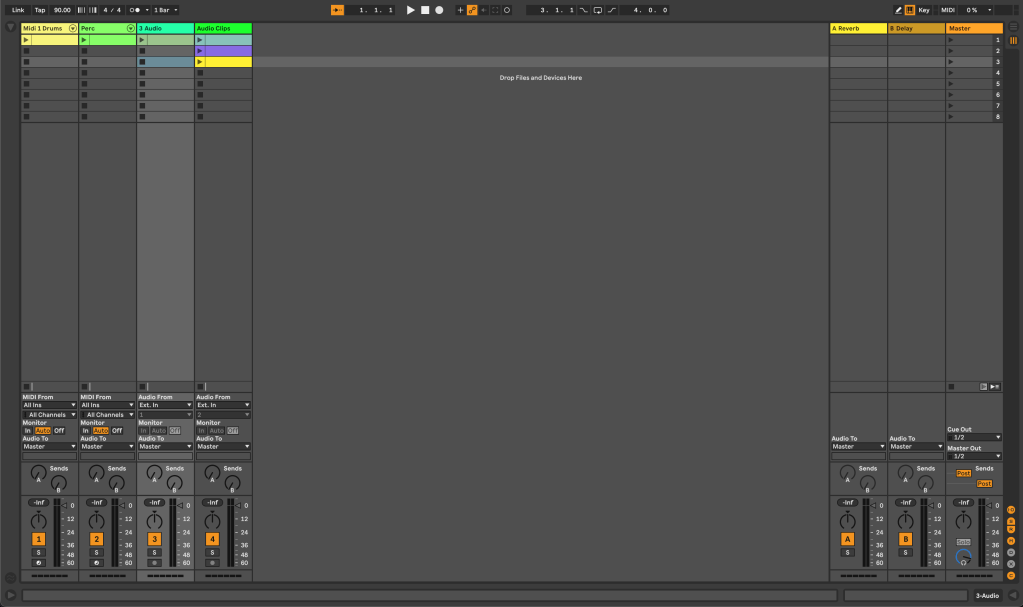
Session View is the first interface you see when you open the Live. This matrix-looking grid is the DAW’s unique feature, where you can create and launch audio and MIDI clips in a non-linear fashion. The columns are the project’s Tracks, the rows are called Scenes, and the individual boxes are called Clip Slots. Each clip can be launched independently, but each Track can only play one at a time. You can also record audio into clips and use them as building blocks for your song. It is an ideal feature for live performance and improvisation.
Concept 2: Arrangement View
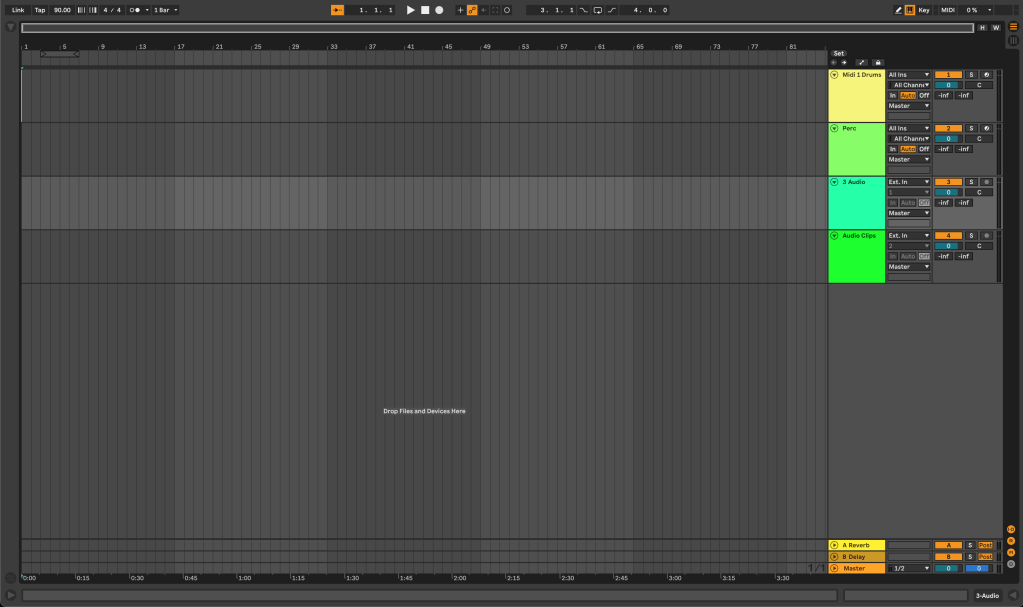
Arrangement View is the traditional linear view that you are probably familiar with in other DAWs. Here, you can arrange, edit, and mix your clips into a finished song. You can add effects, adjust volumes, and pan your tracks, as well as add additional tracks and make detailed edits to your audio and MIDI clips. This view is ideal for long form recording and arranging of your music.
Concept 3: Instruments and Effects
Ableton Live comes with a range of instruments and effects that you can use to create and shape your sounds. From synthesizers to drum machines to audio and MIDI effects, there are plenty of tools at your disposal. Ableton Live also supports VST plugins, which allows you to use third-party instruments and effects.
As you begin with Ableton Live, aim to understand Session View and Arrangement View as their own workflows. Soon, you will learn how the two views work together and operate under the same Global timeline. Dive in to Live’s Instruments and Effects, and experiment with them. Put these few concepts to work, and you’ll have a basic understanding of the features that make Ableton Live unique and powerful. You’ll be making music in no time!
 Jon Paul Lewis Smith